
Downsizing My Flickr Library to the Free Tier
My Flickr photos account was a fun snapshot in time when I worked at Yahoo and before mobile phone cameras took over. This week I used AI to create a couple of scripts to help me get back down to the free account limit. Here's a quick explanation of the process I followed along with a few Flickr memories.
My time with Flickr
I started using Flickr in late 2004 which was just prior to their acquisition by Yahoo in spring 2005. (I worked at Yahoo - not on Flickr - from 2004 to 2011).
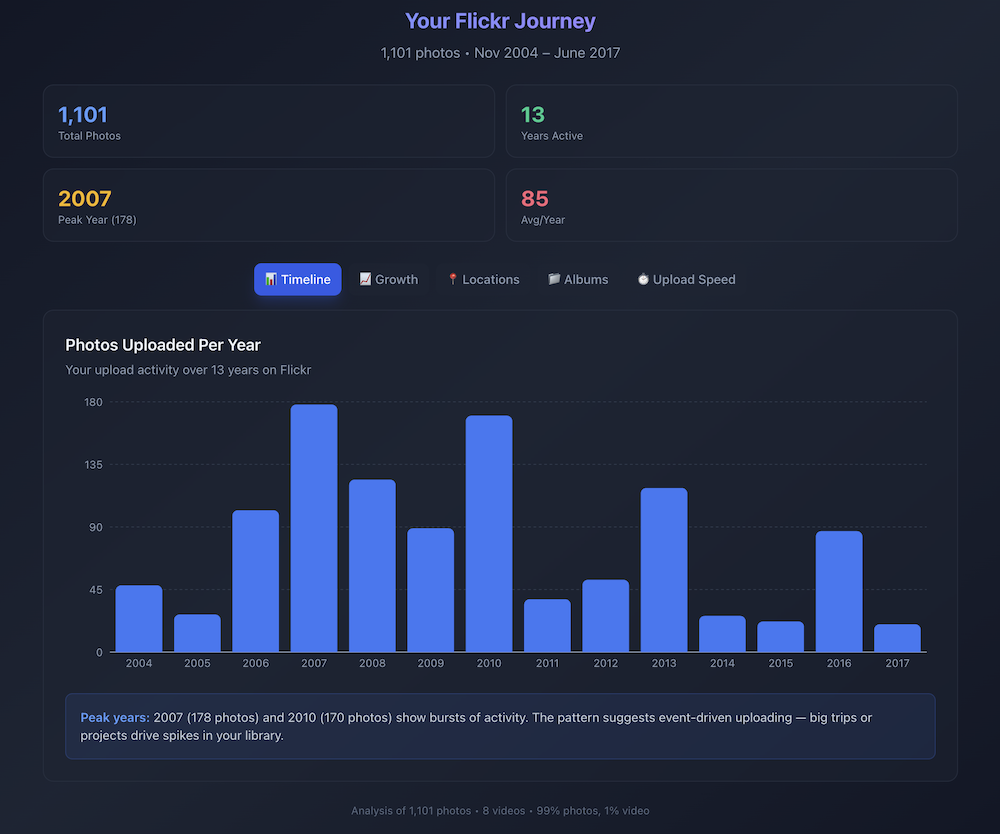
Here's a summary dashboard of my Flickr uploads (courtesy of Claude):
I think I had used other photo sharing sites like Yahoo! Photos and later Google Photos, but Flickr was great for several reasons:
- All of the social aspects were there including groups to join, people to follow, photos to favorite and comment on
- It had simple but useful controls for posting family or private photos
- Tags were quite popular
- Search combined with content licensing made it easy for people to use your photos in different contexts
- It was the first site I recall that clearly showed the camera model and settings front and center
- It was part of Yahoo :)
This was my first exposure to the Creative Commons license. I marked all my public photos with the permissive CC BY license which in summary means:
This license enables reusers to distribute, remix, adapt, and build upon the material in any medium or format, so long as attribution is given to the creator. The license allows for commercial use. CC BY includes the following elements: Credit must be given to the creator.
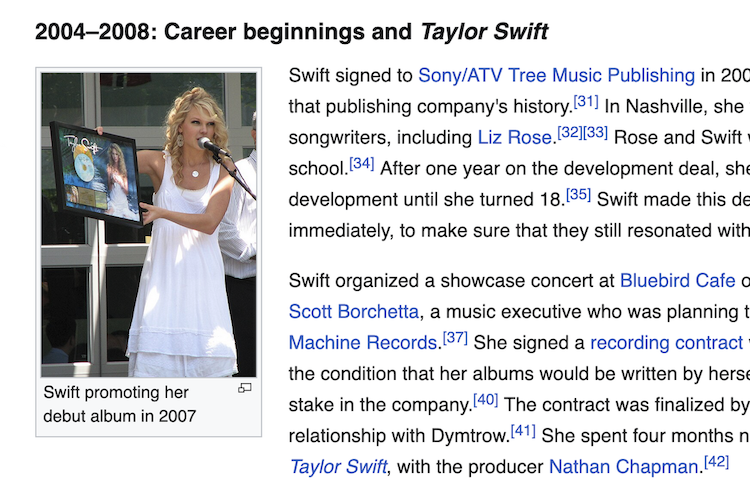
With the CC license in place, it was fun to see all the places my photos would be used. I have a bunch that people have used on Wikipedia, including this one on Taylor Swift's page visiting the Yahoo campus in 2007 promoting her debut album (full album on Flickr):
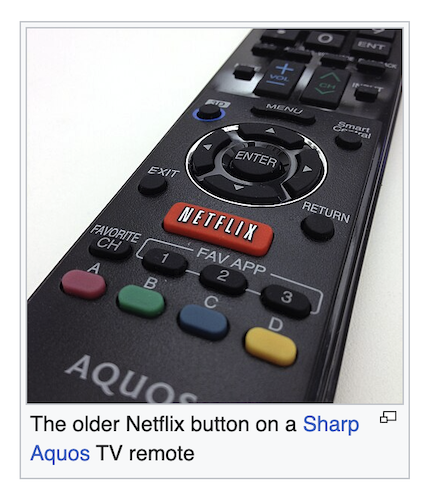
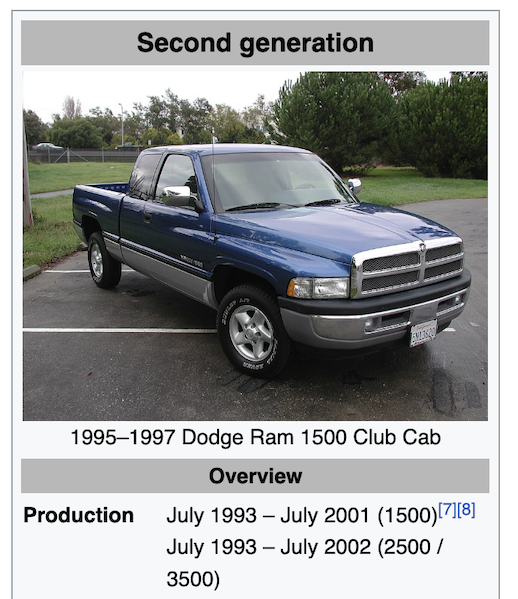
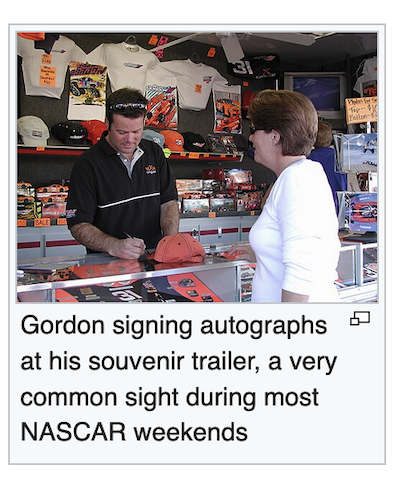
Here are a few more fun ones: a remote with the Netflix button (my #1 most viewed photo), my 1997 Dodge Ram just after I got it repainted, and racer Robby Gordon signing an autograph for my wife at a Phoenix race:
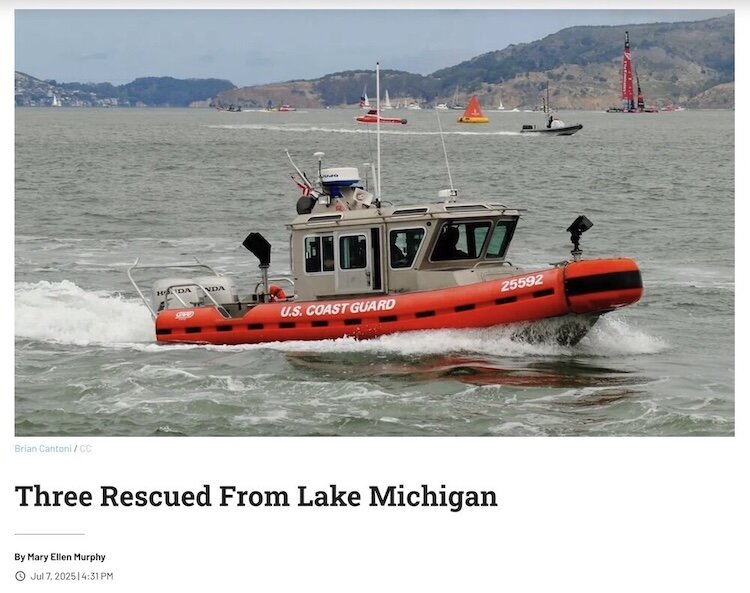
A long time ago I set up a Google Alert for my name and when people used an image and properly gave me credit, I'd get a hit. This Coast Guard boat was a popular one for news articles describing any kind of rescue:
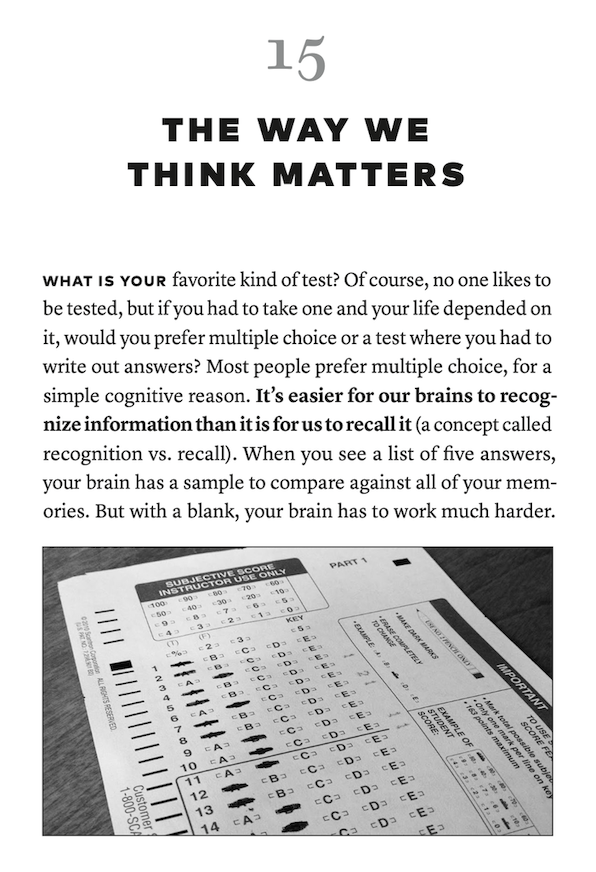
I even had a few people contact me for specific permission, including my Scantron image being included in Scott Berkun's How Design Makes the World book which came out in 2020:
Flickr download scripts
Now to today's problem: I had a Flickr paid (Pro) plan for quite a while but dropped back to Free at some point when I was less active. Since the Free plan limits were tightened up in 2022, I've been getting periodic reminder emails reminding me I was over the limit:
Reminder: Some of your photos are at risk of deletion.
This is a reminder that your account is still in violation of Flickr’s free account limits. Photo deletions are underway, so now is the time to act to protect your photos.
As of November 3, 2025 you have 1393 uploads to your free account. The current limit is 1,000 uploads for free accounts. As soon as possible, please subscribe to Flickr Pro OR download excess non-public photos and remove them from your Flickr account
The Free account limits I was exceeding were: 1) having more than 50 non-public photos; and 2) more than 1000 photos in total. The new pricing structure seems fair to me. The Pro level account is a pretty good deal if you use it a lot - currently $82/year for unlimited photos and a bunch of other benefits. The 1000 photo limit is still a lot, and in spite of the warning emails I never did lose any of my content. But since I really don't use the site much any more, it made sense to prune my uploaded photos, including all the private and friends/family ones.
Earlier this year Flickr changed the API key policies such that only Pro accounts can create and use API keys. My workaround was to raise my subscription from Free to Pro for a month (similar to what I needed to do when closing out my Evernote free account).
With Claude Code ready to help, I created a set of scripts that use the Flickr API to help manage my content:
- Backup - download a mirror backup of all photos, including photo metadata and organized into album folders
- Stats - find and view the most popular photos
- Stats CSV - download all the interesting metadata for all photos (this is what I used to create the dashboard at the top of the post)
For all of these scripts, Claude Code did quite well. I really didn't make any edits myself but just relied on prompting to adjust the scripts including adding a retry mechanism and gracefully handling rate-limiting responses.
Once I had everything backed up, I used the Flickr Batch Organize feature to remove all the private albums and prune a bunch of less interesting photos. The Organize feature is kind of old school like most of Flickr, but it works quite well.
The result: I backed up my whole photostream, removed all my non-public images, and reduced the overall count from 1400 down to 750 (all under the Free limit). Next I returned my account to the Free level and now I'm all set!
All the source code for this project is on GitHub: bcantoni/flickrbackup.
An easier way
Part way through this project I realized / remembered that Flickr has support for viewing and downloads stats and for downloading all your photos.
This was still a fun experiment to build a script that uses the API directly. If you were an active Flickr user you could automate a lot of your photo workflows with the API.